Use Kindle for more
Your Kindle can be useful between chapters, too.
Paperyx adds a focused set of browser-based tools for the moments when you need information but do not want the noise of a phone, tablet, or laptop.
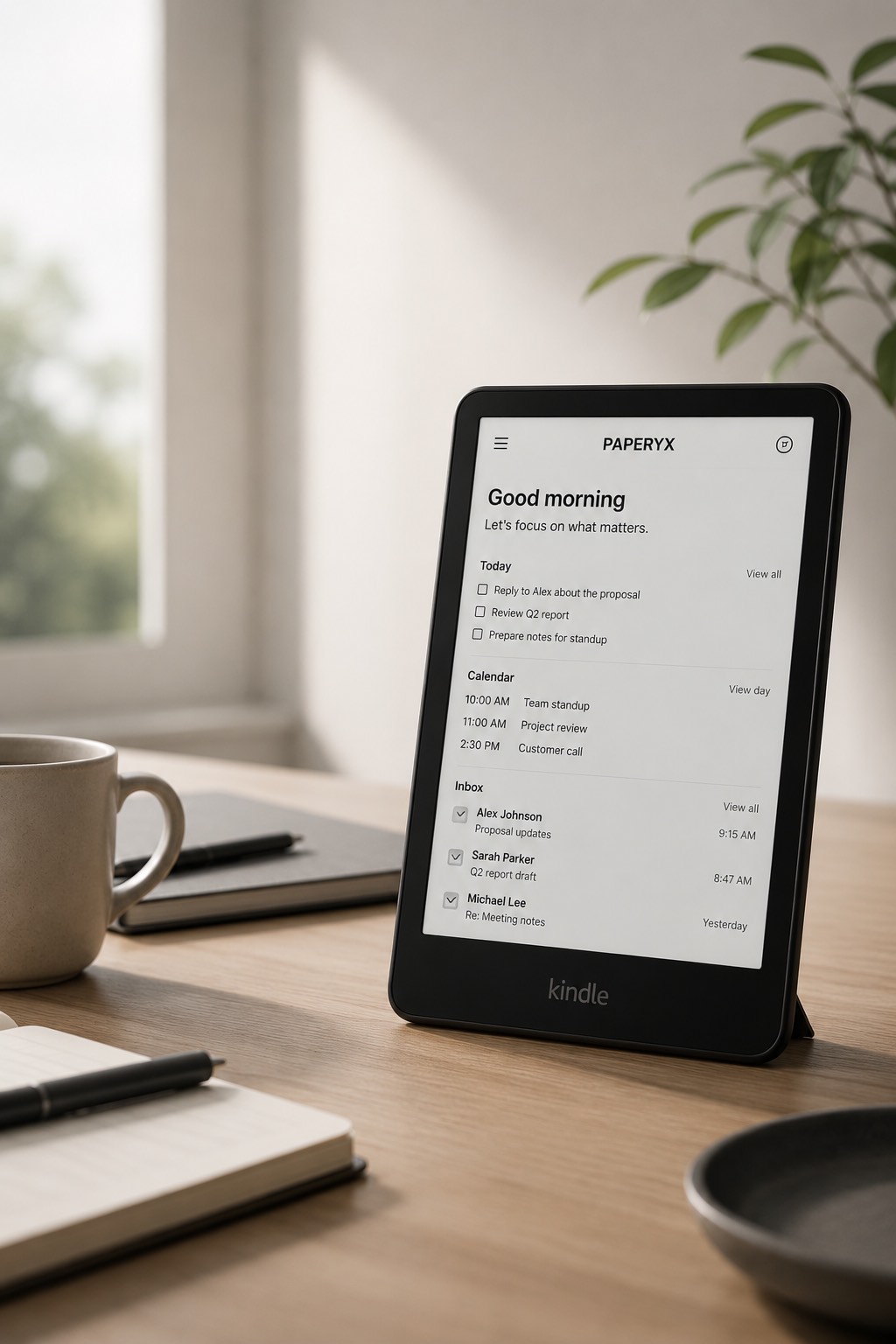
Seven practical ways to use your Kindle for more
- Start the day: review today’s tasks, remaining appointments, inbox highlights, and optional weather.
- Read mail calmly: open messages, follow useful links, and reply without a stream of app notifications.
- Check your calendar: read event details, locations, attendees, and the rest of your day.
- Keep tasks visible: review lists, adjust due dates, complete work, and reopen an item when needed.
- Open cloud files: browse recent files and folders, search, and use readable previews where supported.
- Look up people: find a contact without opening a full communication suite.
- Use simple tools: check weather, calculate something, open a saved favorite, or use a music reference.
Why these jobs fit e-ink
Each workflow is mostly text, deliberate choices, and short forms. Paperyx uses large type, simple borders, normal links, and full-page responses so the Kindle browser does not have to behave like a modern app platform.
The result is slower than a phone and intentionally less stimulating. For a focused check-in, that can be the point.
Do more, then get back to reading
Paperyx does not change what makes Kindle useful. It gives the browser a few more jobs and stays out of the way when you return to a book.